
CapCut - Video Editor
- 100M+SIZE
4
- 4+AGE
Advertisement
Updated
2025-04-01Platform
AndroIdCurrent Version
13.9.0Developer
Bytedance Pte. Ltd.Security
100% Safe
Advertisement
View App Details
Verified antivirus
Get The AppDESCRIPTION
CapCut - Video Editor: A Powerful Tool for Video Editing
CapCut is a comprehensive video editing app designed to meet the needs of content creators, social media influencers, and anyone passionate about creating high-quality videos. With a wide range of features and tools, CapCut offers a seamless editing experience for users of all skill levels.
Key Features and Main Uses
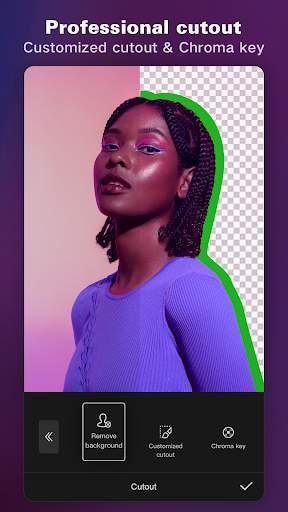
CapCut provides users with a variety of editing tools, including filters, effects, transitions, and more, allowing them to enhance their videos and unleash their creativity. With easy-to-use controls and intuitive interface, users can trim, cut, merge, and adjust video clips with precision.
Practical Value and User Experience
Users can add music, text, stickers, and other elements to their videos to make them more engaging and professional-looking. CapCut also supports multi-layer editing, making it easy to overlay images, videos, and other visual elements to create dynamic and visually appealing content.
Typical Use Cases
CapCut is perfect for creating vlogs, tutorial videos, short films, social media posts, and more. Whether you're a beginner looking to enhance your videos or a seasoned creator seeking more advanced editing options, CapCut has something for everyone.
Unique Advantages of CapCut
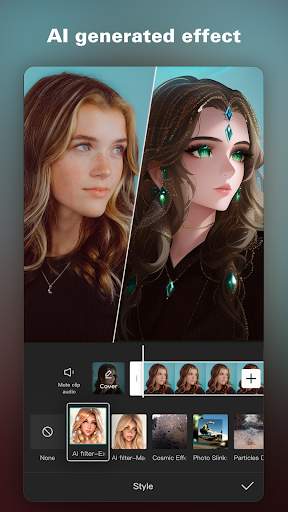
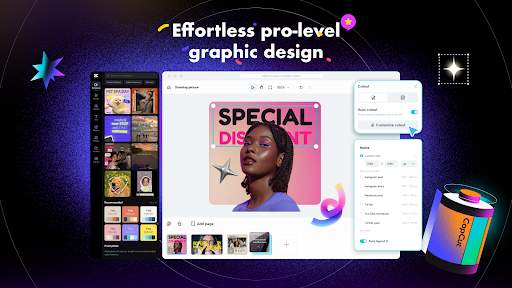
One of the standout features of CapCut is its AI-powered tools, which can automatically adjust video settings and enhance visuals for a polished finish. Additionally, the app offers a wide range of pre-designed templates and effects, making it easy to create professional-looking videos in minutes.
Possible Limitations and Usage Notes
While CapCut is a powerful video editing tool, some users may find the interface overwhelming at first. It may take some time to explore all the features and tools available in the app. Additionally, beginners may need to watch tutorials or seek help to fully utilize CapCut's capabilities.
Overall, CapCut is a versatile and user-friendly video editing app that caters to the needs of a wide range of users. Whether you're looking to create engaging social media content or produce professional-quality videos, CapCut has the tools and features to help you bring your vision to life.
Screenshots